

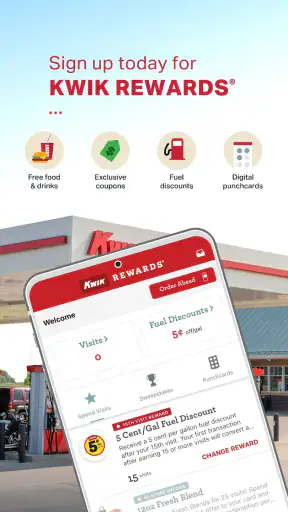
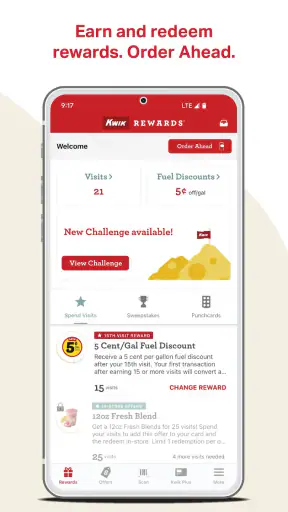
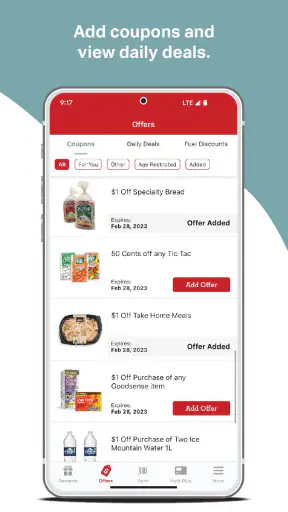
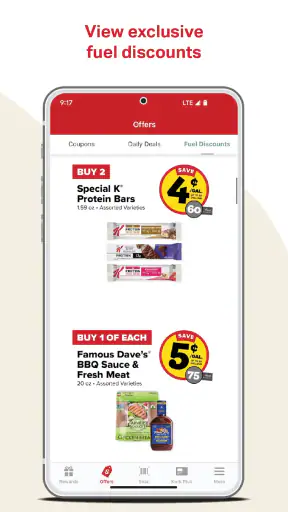
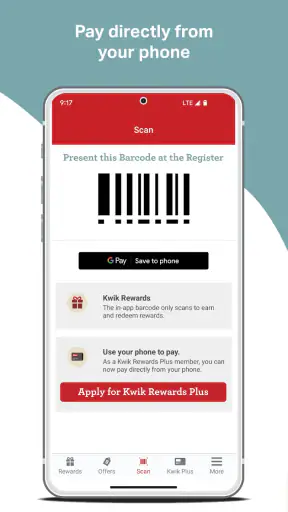
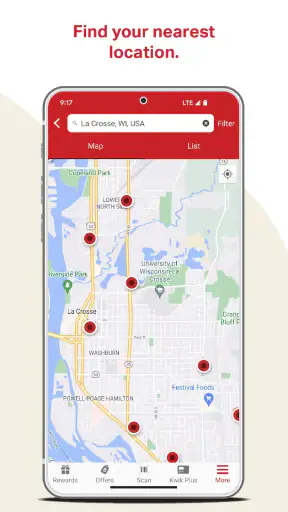
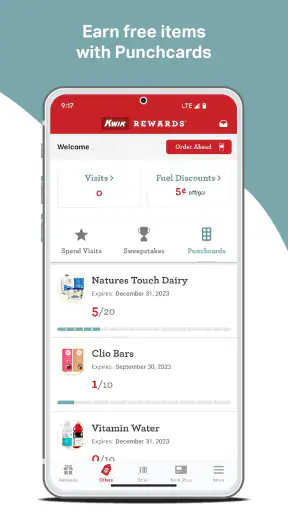
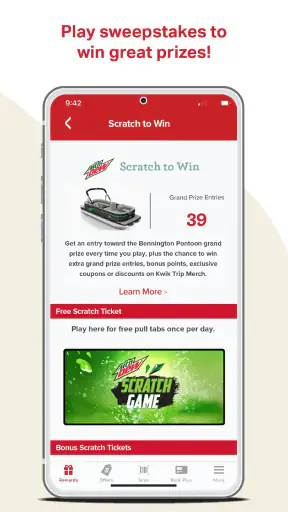
I tend to notice loyalty apps most when I am already standing at the counter, trying to remember whether I used the right account or whether a family member has already claimed the offer I had in mind. Kwik Rewards is built for that everyday moment. It is the official loyalty app from Kwik Trip Inc, focused on the Food & Drink side of mobile apps rather than trying to become a general shopping or payment hub. After using it, I found the main appeal fairly simple: it gives regular Kwik Trip customers a dedicated place to handle rewards instead of relying on a physical card or scattered paper receipts.
That simplicity is also the key to judging it fairly. I would not install this app expecting a complete household budgeting tool, a restaurant discovery service, or a flexible account system for several unrelated people. I see it as a loyalty companion for Kwik Trip visits. If that matches your routine, it can remove a small but repeated annoyance. If you only stop at Kwik Trip occasionally, the benefit is less convincing, especially if you dislike maintaining another account on your phone.
How Kwik Rewards fits into a shared household routine
The most realistic use case is a household where more than one person visits the same stores. Imagine one person commuting in the morning, another picking up groceries after work, and a teenager occasionally buying a drink or snack on the way home. A single person may be the account holder, while everyone else is simply part of the spending routine. The app can be useful in that arrangement because it keeps the loyalty activity in one digital location rather than leaving the household to remember a separate card.
There is an important distinction, though: shared household use is not the same as unrestricted account sharing. I would decide in advance who owns the account, who is allowed to use it, and whether the person carrying the phone is expected to be the person managing the account. That boundary matters because loyalty records and account details are personal enough that casual sharing can become confusing. The app works best when the household treats it as one clearly managed membership, not as a communal profile that everybody edits whenever convenient.
For a practical example, I might keep the app on my phone and use it during my own visits, while another adult in the home uses a physical loyalty method or a separately managed account. That approach is less convenient than having the app available to everyone, but it avoids the common problem of two people assuming they are collecting rewards in the same place when they are not. Before making the app part of a family routine, I would agree on that workflow rather than discovering the problem at checkout.
Another useful habit is checking the app before leaving home, not while waiting to pay. That gives me time to sign in, review what is available, and make sure the phone is ready. Loyalty apps are most frustrating when the customer is already at the register and has to troubleshoot a forgotten password, a weak connection, or an account that belongs to someone else. Kwik Rewards is easier to live with when it is treated as a small part of trip preparation.
What the first setup feels like
The initial setup is straightforward in concept: install the free app, create or access the loyalty account, and make sure the account details belong to the person who will manage it. The app is suitable for Everyone, but an age rating should not be confused with automatic independence for younger users. A child may be able to use a phone application, yet an adult should still decide whether the child needs access to the household account or whether a separate arrangement makes more sense.
I would pay particular attention to the account boundary during setup. Use an email address or sign-in method that the actual account owner can reach, rather than borrowing a relative’s address just to finish registration. That small choice becomes important later if the household changes phones, someone forgets a password, or the person who originally set everything up is no longer available to help. A loyalty account is easier to keep organized when its recovery path is controlled by one responsible person.
On a shared phone, I would be even more cautious. A device used by several people can make it unclear who is signed in, and the next person may accidentally use the wrong account. I would check the displayed account before a purchase and avoid leaving the app open if the phone regularly changes hands. This is not a criticism unique to Kwik Rewards; it is simply the trade-off of putting a personal loyalty account on a communal device.
The current release is version 3.56.2, and the app requires at least OS 10. That makes the practical compatibility question fairly easy for many users, but it is still worth checking the operating system before planning to use an older spare phone as the household loyalty device. If that phone cannot meet the minimum requirement, the app will not be a useful solution for that particular setup, even if the primary phone is fully compatible.
Keeping several people coordinated without creating confusion
Coordination is where I think the app can either become quietly helpful or unexpectedly awkward. If one adult manages the account, that person can explain the routine to everyone else: which phone carries the app, who is responsible for updates, and whether purchases made by other household members should be connected to the same loyalty identity. The conversation may sound excessive for a convenience-store rewards program, but it prevents arguments over missing points or unexpected account activity.
I would not assume that every household member can independently see or manage the same information just because they share a home. The safest approach is to use only the account access that the app actually supports and to avoid passing around credentials casually. If multiple adults want full independence, separate accounts may be cleaner than one shared login. That may reduce the sense of a combined household balance, but it gives each person clearer control over their own account.
A useful compromise is to keep one person as the account manager while sharing only the practical information needed for visits. For example, that person can check the account before a shopping trip and tell the other person whether there is anything worth using. This avoids handing over the login while still allowing the household to coordinate. It is not as seamless as a purpose-built family account, but it is a sensible routine when the app is being used as a loyalty tool rather than a family management system.
I also recommend deciding what happens when someone changes phones. The account should move with the account owner, not remain tied to an old device that another household member later inherits. Keeping that distinction clear helps prevent accidental use of the wrong profile and makes the app easier to trust. In my experience, the biggest household annoyance is rarely the reward itself; it is uncertainty about whose account was used and whether a visit was recorded correctly.
Age, trust, and the limits of a loyalty account
The Everyone rating makes Kwik Rewards approachable for a broad audience, but I would still introduce it differently to an adult, a teenager, and a younger child. An adult can understand the account implications and decide what information to share. A teenager may be perfectly capable of presenting the app during a purchase but may not need permission to change account details. A younger child might use the phone only under supervision, especially if the device also contains other personal apps and messages.
That is why I would separate “can use the app” from “should control the account.” The first is about operating a phone and presenting a loyalty identity. The second involves responsibility for sign-in details, account recovery, and household expectations. Kwik Rewards can fit into a family routine, but it should not be mistaken for a dedicated parental-control or child-account product. Families looking for detailed supervision, spending limits, or separate permissions should look elsewhere rather than expecting a loyalty app to provide them.
Trust also matters when the app is installed on a shared device. I would avoid saving access details in a way that lets anyone open the account without the owner’s knowledge. If a teenager is using the app during a quick stop, I would make sure they understand whether they are representing the household account or their own account. That simple explanation is more useful than assuming the app itself will resolve every boundary between family members.
For older relatives who are comfortable with a phone but dislike complicated technology, the app may be easier than carrying a separate card, provided someone helps with the first sign-in. I would show them the basic routine once, then let them decide whether they prefer the app or a more familiar alternative. Convenience is personal: a digital loyalty account is not automatically better for someone who finds phone-based checkouts stressful.
What I like about the everyday experience
The strongest quality is focus. Kwik Rewards exists to support the Kwik Trip loyalty relationship, and that narrow purpose makes it easier to understand than an app trying to combine unrelated food services. I do not have to search through a general shopping application to find the loyalty area. For a regular customer, having the official app from Kwik Trip Inc in one familiar place can make repeat visits feel more organized.
It is also free, which removes the most obvious barrier to trying it. The app has passed one million installs, and its average rating is 4.6 from around forty-two thousand ratings, with roughly sixteen thousand written reviews. Those figures suggest that the basic proposition is working for a substantial number of customers, though they should not replace personal judgment. A high average can tell me that the app is broadly useful; it cannot tell me whether my household’s account habits will be convenient.
I appreciate that the app is not aimed at a narrow age group. Someone using it for a daily commute, an adult coordinating errands, or a student making occasional stops can understand the general purpose quickly. The practical value increases with visit frequency: the more often I use Kwik Trip, the more worthwhile it feels to keep the loyalty process close at hand.
My favorite workflow is deliberately boring. I open the app before entering the store, confirm that I am using the intended account, and finish the visit without trying to reorganize the household at the register. That routine reduces pressure and makes the loyalty step feel like part of the trip rather than a separate task. It also exposes whether the app is genuinely useful for me: if I repeatedly forget to open it or cannot remember which account is active, the theoretical rewards are less valuable than they appear.
Where the experience can be less convenient
The biggest limitation is that the app’s usefulness depends on being a Kwik Trip customer. It is not a general-purpose food rewards wallet that becomes valuable across many restaurants and stores. If my shopping is spread across several chains, I may prefer a broader wallet or simply use each retailer’s physical card. Installing a dedicated app for every place I visit can create clutter, notifications, and account fatigue.
Shared use introduces another weakness: one account can be convenient, but it can also blur ownership. A household that wants separate personal records may find a single shared setup too informal. A household that wants one combined loyalty identity may find that device access and sign-in responsibility require more coordination than expected. In either case, the app cannot remove the need for an agreement between the people using it.
I also would not rely on any phone-based loyalty app as the only option during a rushed purchase. Phones run out of battery, get left at home, or become difficult to use when connectivity is poor. Keeping a backup routine, such as knowing the available non-app loyalty method or simply accepting that one visit may not be recorded, is sensible. The app is a convenience, not something I would allow to dictate whether an everyday errand succeeds.
Another trade-off is attention. A loyalty app can encourage me to check offers or account activity more often than necessary. That may be worthwhile for a frequent customer, but it can also turn a simple stop into a small administrative chore. I would skip the app if I know I will download it, ignore it for months, and then feel annoyed by the unused account. A tool that saves time only works when it fits naturally into my routine.
How it compares with the usual alternatives
The obvious alternative is a physical loyalty card or another non-phone method. That option is better for someone who dislikes accounts, shares a phone with several people, or wants a simple object that can be handed to a cashier without unlocking a device. It is less attractive when the card is frequently forgotten, lost, or left in another wallet. The app wins on availability when my phone is already with me, while the physical option wins on independence from battery life and screen access.
Another alternative is using separate accounts for each adult in a household. I prefer that arrangement when privacy and personal control matter more than combining activity. It makes responsibility clearer, but it can divide loyalty activity and require each person to maintain their own sign-in. A shared account is more convenient for one household manager, while separate accounts are cleaner for adults who do not want to depend on one another.
General coupon or wallet apps can be better for people who shop at many different retailers. They may reduce the number of dedicated apps on a phone, although they can also be less focused and require more searching. Kwik Rewards makes more sense when Kwik Trip is already a regular stop and I value direct access to that specific loyalty relationship. It is not the best answer for someone seeking one universal rewards system.
For a family with young children, I would choose based on supervision rather than the age label alone. The app is rated Everyone, but a family may still prefer that an adult keep control of the account while a child simply accompanies the adult during purchases. For a household with older children or teenagers who make independent stops, I would decide whether convenience justifies shared access. If that decision feels uncomfortable, a separate account or a non-digital method is the better choice.
My household verdict
After looking at the app as both a loyalty tool and a shared-household accessory, I think Kwik Rewards is a good fit for regular Kwik Trip customers who want a free, focused way to manage their visits from a compatible phone. Its strongest use is not a complicated one: one clearly designated account owner, a predictable checkout routine, and a little coordination before other family members use it.
I would recommend it to a household where one adult already handles most loyalty accounts and everyone understands the boundaries. I would also recommend it to an individual commuter or frequent customer who wants the official Kwik Trip loyalty experience available without carrying another card. The broad Everyone rating and large installed base make it approachable, but the real test is whether Kwik Trip is part of your normal week.
I would skip it if I rarely visit Kwik Trip, avoid retailer-specific apps, or need detailed family controls and separate permissions. I would also avoid making it the only household option if several people need independent access and nobody wants to manage shared credentials. In those cases, a physical method or separate accounts may be less elegant but more dependable.
Kwik Rewards was released on January 11, 2018, and its continued presence alongside the current version shows that it is an established app rather than a short-lived experiment. My final view is practical: the app is most valuable when it quietly fits an existing Kwik Trip habit. Set the account boundary first, agree on who uses it, keep a backup for phone problems, and it can make repeat visits easier without adding much work. For the right household, that is enough reason to install it.


